Architecture
DemandCast is a set of scripts, each configured by a YAML file, that pass their data to each other through the files of a data folder. This page describes the scripts, the folders of the code and of the data, and how the modules depend on each other. To add a data source or a model, see the contributing guidelines.
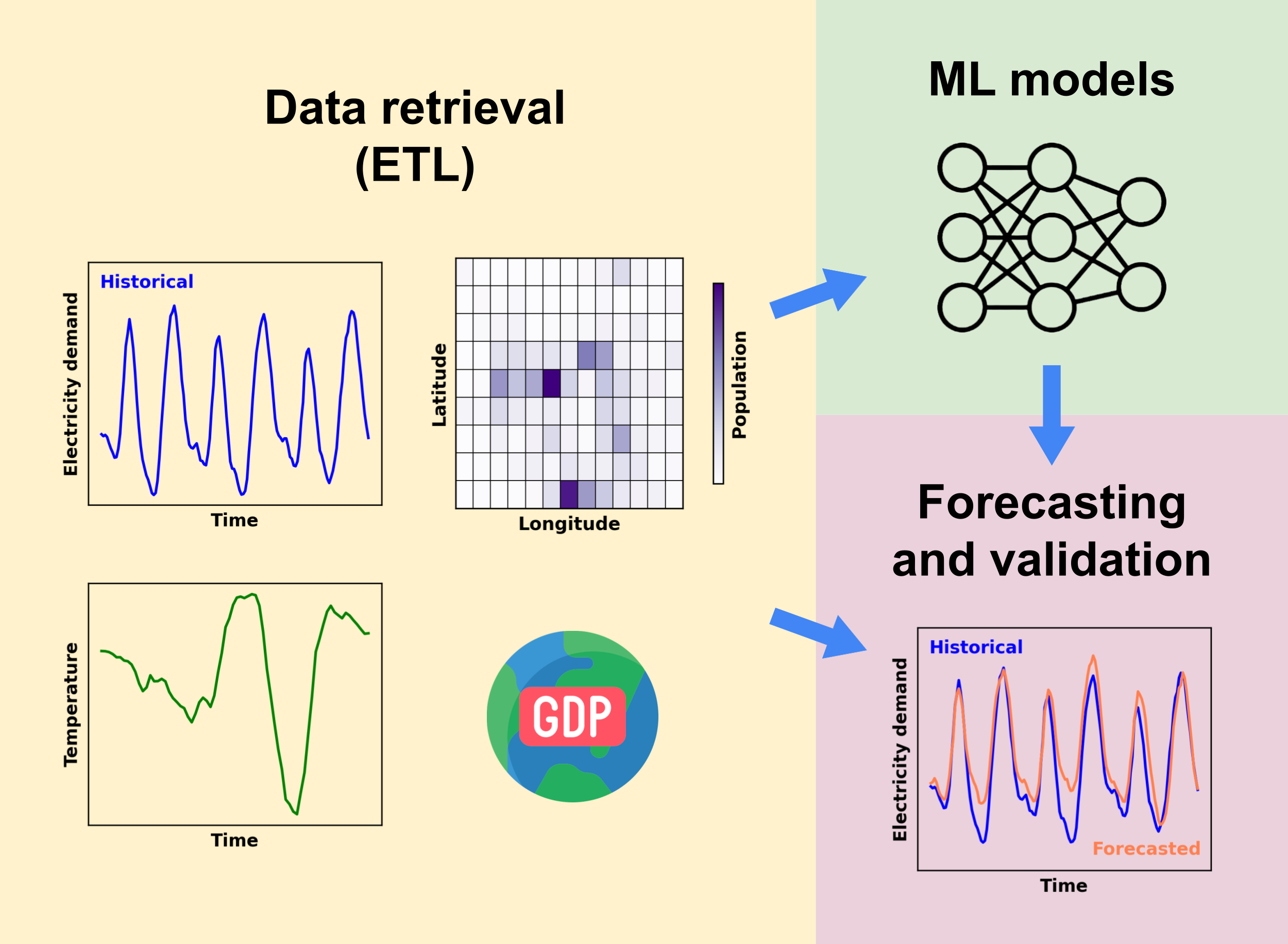
Scripts
The scripts are in the demandcast/ folder and run from it, with uv run <script>.py. Each one reads its settings from config/<script>_config.yaml, or from the file given with --config, and checks them with a pydantic model before it starts.
| Script | What it does | Reads | Writes |
|---|---|---|---|
retrieve.py |
Downloads a variable: the electricity demand of a data source, which it then cleans and combines, the population, GDP PPP per capita and annual electricity demand per capita, their gridded data, the gridded weather and the temperature | The data sources | The folder of the variable |
check.py |
Checks the data availability, the data sources over the network, or gathers the flags of the cleaned electricity demand into a report | The data folder, the data sources | results/checks/, and the summary of the data availability in the checks/ folder of the code, which tells the other scripts which codes have all the data |
assemble.py |
Assembles the variables of each country and subdivision into one dataset, for training or forecasting | The folders of the variables | assembled/ |
train.py |
Trains a model | assembled/ |
models/<algorithm>/ |
validate.py |
Validates a model on the most recent year of each country and subdivision | assembled/, models/ |
results/validation/ |
cross_validate.py |
Validates a model on the countries and subdivisions left out of its training | assembled/ |
results/cross_validation/ |
forecast.py |
Forecasts the hourly electricity demand with a trained model | assembled/, models/ |
results/forecasts/ |
plot.py |
Draws the figures of the data availability and of the results of the models | The data folder | results/figures/ |
sync.py |
Copies the data folder to or from a private bucket of Google Cloud Storage, without overwriting or deleting files | The data folder or the bucket | The bucket or the data folder |
publish.py |
Uploads a release, the trained model, its settings and its forecasts, to Zenodo as a draft | The files of the release | A draft version of the Zenodo record |
benchmark/run.py runs the retrieval and the assembly of the data of the benchmark of the models. The data retrieval and machine learning pages describe each step.
Code folder
demandcast/                         # the repository
├── .github/                        # GitHub workflows and templates
├── demandcast/                     # the Python project
│   ├── benchmark/                  # Configuration and runner of the data of the benchmark of the models
│   ├── checks/                     # Checks of the data availability, the data sources and the flags
│   ├── cleaning/                   # Cleaning, flags and combination of the electricity demand
│   ├── config/                     # Configuration files of the scripts and lists of countries and subdivisions
│   ├── data/                       # Data, models, results and logs written by the scripts (not in the repository)
│   ├── figures/                    # Figures of the data availability and of the results of the models
│   ├── ml_models/                  # Machine learning models, their registry, data preparation and evaluation
│   ├── publishing/                 # Copies to and from Google Cloud Storage, and releases on Zenodo
│   ├── retrievals/                 # Retrieval of each variable, and the modules and YAML files of the data sources
│   ├── shapes/                     # Scripts that make the shapes of non-standard subdivisions, and the shapes
│   ├── tests/                      # Tests, in folders that mirror the code
│   ├── utils/                      # Shared helpers: paths, catalogue, codes, data sources, fetching, time series
│   ├── Dockerfile                  # Docker image of the project
│   ├── pyproject.toml              # Project configuration and dependencies
│   ├── uv.lock                     # Locked dependencies
│   └── <script>.py                 # The scripts above
├── webpage/                        # This documentation (MkDocs)
├── AGENTS.md                       # Instructions for AI coding agents
├── CITATION.cff                    # Citation metadata
├── CODE_OF_CONDUCT.md              # Code of Conduct
├── CONTRIBUTING.md                 # Guide to contributing
├── README.md                       # Project overview
└── ruff.toml                       # Ruff configuration
The API keys go in demandcast/.env, which is not in the repository (see getting started).
Data folder
Everything that the scripts write is in the data folder: demandcast/data/, or the folder named by the environment variable DEMANDCAST_DATA_FOLDER, except two summaries that are part of the repository and that they update on purpose: check.py writes the summary of the data availability in demandcast/checks/, and plot.py with figure: status the numbers and figures of the current state in the README and webpage/docs/status/. The source inputs in the code, such as the files downloaded by hand next to the retrieval modules, are only read. Each dataset has its own folder, with its stages:
data/
├── electricity_demand/
│   ├── raw/                        # Responses and manifests, by data source
│   │   └── manual_downloads/       # Files downloaded by hand
│   ├── processed/                  # Demand of each data source and country or subdivision
│   ├── cleaned/                    # Cleaned demand, with its flags
│   └── combined/                   # One series of each country or subdivision, from all its data sources
├── gridded_weather/, gridded_population/, gridded_gdp_ppp/
│   ├── raw/                        # Global grids, as downloaded
│   └── processed/                  # Grids of each country and subdivision
├── temperature/, population/, gdp_ppp_per_capita/, annual_electricity_demand_per_capita/
├── assembled/
├── models/<algorithm>/
├── results/
│   ├── validation/, cross_validation/, forecasts/
│   ├── figures/
│   └── checks/                     # Reports of the checks
└── logs/
The data retrieval page describes the stages of the electricity demand. The functions of utils/paths.py give these paths: the code uses them instead of writing the paths again.
Dependencies
The scripts use the packages, and the packages use utils/:
scripts (retrieve.py, assemble.py, train.py, ...)  and  benchmark/
    └── retrievals/, cleaning/, checks/, figures/, ml_models/
            └── utils/
The modules of utils/ import none of the packages and scripts above them, so that they can be used and tested alone; tests/utils/test_dependencies.py checks it. Among the packages, the retrieval of the electricity demand (retrievals/electricity_demand.py) cleans and combines it with cleaning/, the combination reads the reviews of the flags of checks/flags.py, and the check of the data availability and its figure read the annual data with the modules of retrievals/.
Each list that the code needs is written once:
utils/paths.py: the folders and files of the code and of the data;utils/catalogue.py: the scenarios, climate models and years of each projection and gridded dataset;utils/codes.pyandutils/time_zones.py: the ISO codes, names, continents and time zones of the countries and subdivisions;utils/data_sources.py: the registry of the data sources, from their YAML files;ml_models/registry.py: the models and the interface of their modules;retrieve.pyandassemble.py: the retrieval of each variable (RETRIEVALS) and the inputs of the assembled datasets (DATASETS).
To add a variable to the assembled datasets, add a row to DATASETS; to add a data source or a model, follow the contributing guidelines.