Code architecture
This page is for contributors: the scripts, the folders of the code, the rules between modules, and the tests, CI and documentation. To add a data source or a model, follow the contributing guidelines.
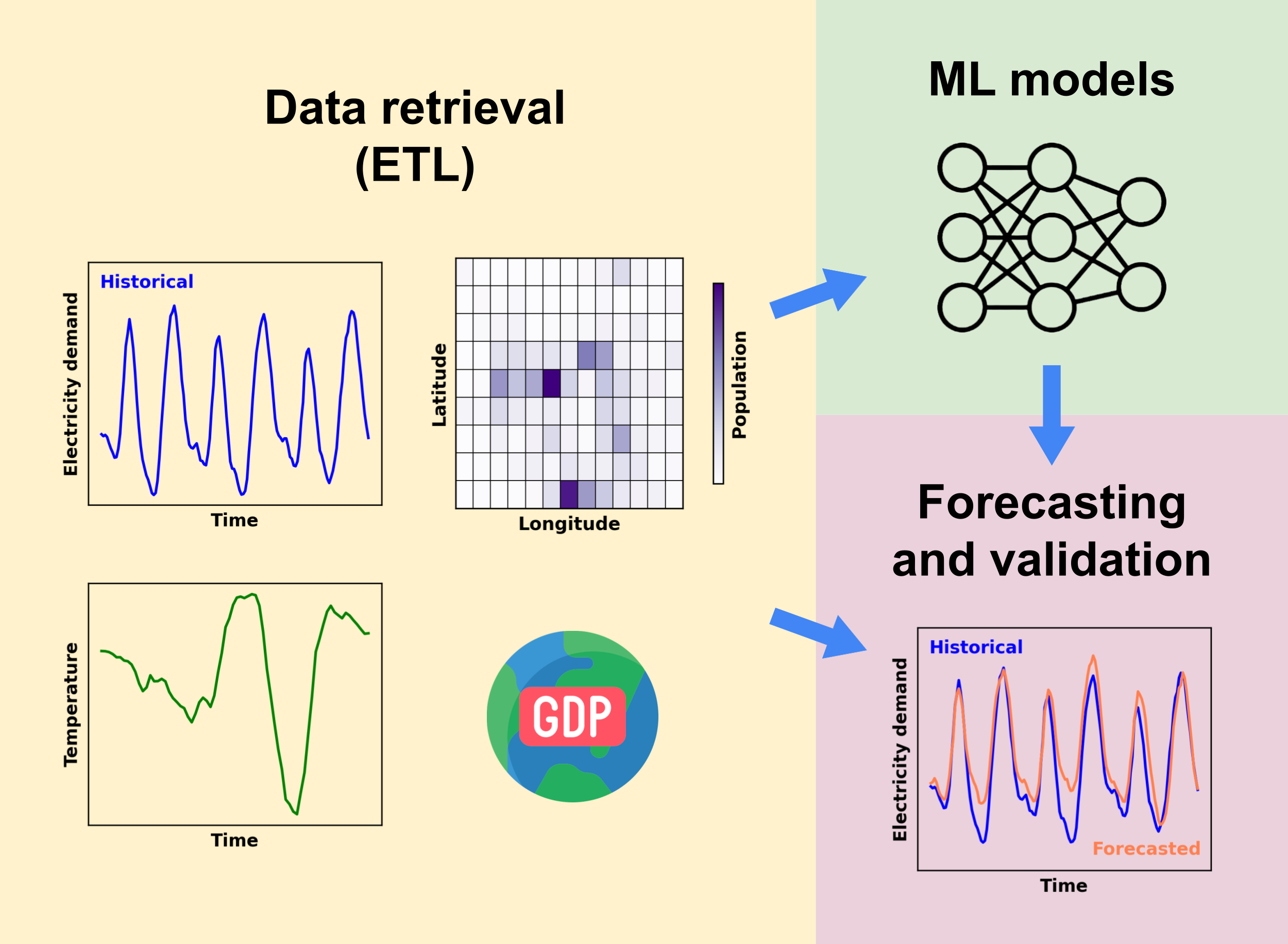
DemandCast is a set of scripts. Each one is configured by a YAML file, and they pass data to each other through the files of the data folder.
Scripts
The scripts are in demandcast/. Run them, and every Python command, from that folder, since the modules are imported as top-level packages (import utils.config, not import demandcast.utils.config):
cd demandcast
uv run retrieve.py --config config/retrieve_config.yaml
| Script | What it does | Guide |
|---|---|---|
retrieve.py |
Downloads one variable: the electricity demand of a data source (then processes, cleans and combines it), an indicator, a gridded dataset, the weather or the temperature | Retrieve data |
assemble.py |
Merges the variables of each country and subdivision into one dataset, for training or forecasting | Assemble a dataset |
train.py |
Trains a model | Train and validate |
validate.py |
Scores a model on the most recent year of each country and subdivision | Train and validate |
cross_validate.py |
Scores the models on the entities left out of their training | Cross-validate |
forecast.py |
Predicts the hourly electricity demand in MW | Forecast |
plot.py |
Draws one figure, or the figures and numbers of the Current state page | Plot figures |
check.py |
Runs one check: data availability, data sources, flags or related entities | Run checks |
sync.py |
Copies the data folder to or from a Google Cloud Storage bucket, without overwriting or deleting | Share the data folder |
publish.py |
Uploads a release to Zenodo as a draft | Publish a release |
python -m benchmark.run [--from-step N] |
Retrieves and assembles the benchmark data, in six steps; --from-step resumes from step 1 to 6 |
Models |
python -m shapes.eia |
Defines the EIA regions as non-standard subdivisions and rewrites shapes/subdivisions/USA.yaml |
Retrieve data |
Data folder lists which script writes and reads each file.
How a script starts
- Read the settings with
utils.config.read_and_check_configuration. The option-c/--configgives the YAML file; without it, the script readsconfig/<script>_config.yamlfrom the code folder, whatever your current folder. A relative--configis read from your current folder. A missing file stops the script; an empty file counts as no settings. - Validate them with the script's pydantic
ConfigModel, a subclass ofutils.config.StrictSettings. It rejects unknown settings, so a misspelt option such asstart_yrstops the script instead of being ignored. Errors start withConfiguration validation error. - Set up the log with
utils.config.set_up_logging, which opens a new file inlogs/, and log the validated settings. - Run the step.
The machine learning scripts also read config/ml_config.yaml and config/<algorithm>_config.yaml, always from config/ (--config does not change them), validated in the same strict way by ml_models/data.py and ml_models/registry.py.
API keys come from environment variables. utils.config.read_api_key first loads demandcast/.env without overriding variables already set, and treats an empty key as missing. utils/fetcher.py hides the values of variables whose names end with _API_KEY or _PASSWORD (***) in messages and raw data. Install lists the keys.
Code folders
demandcast/                          # the repository
├── .github/                         # workflows and templates
├── demandcast/                      # the Python project
│   ├── benchmark/                   # settings of the benchmark steps, and run.py
│   ├── checks/                      # the four checks of check.py, flag reviews, outputs kept with the code
│   ├── cleaning/
│   │   ├── electricity_demand.py    # cleans one source and code
│   │   ├── flags.py                 # flags changes for review, without removing values
│   │   ├── reviews.py               # reads checks/reviewed_flags.yaml
│   │   └── combining.py             # combines the sources of a code into one hourly series
│   ├── config/                      # settings of the scripts and models, and lists of entities
│   ├── data/                        # the data folder (not in the repository)
│   ├── figures/                     # one module per figure of plot.py
│   ├── ml_models/
│   │   ├── __init__.py              # imports PyTorch first, if installed (needed on Windows)
│   │   ├── registry.py              # the models (MODEL_MODULES), their interface (ModelModule), their settings
│   │   ├── xgboost.py, lstm.py      # the models: settings, training, prediction, saving, loading
│   │   ├── data.py                  # ml_config.yaml, reading the data, target, sets
│   │   ├── evaluation.py            # MAPE, WAPE, cross-validation
│   │   ├── reporting.py             # scored entities, errors by group
│   │   ├── files.py                 # latest model and dataset, results, model manifests
│   │   └── torch_windows.py         # registers the DLL folder of PyTorch on Windows
│   ├── publishing/
│   │   ├── gcs.py                   # the copies of sync.py
│   │   ├── zenodo.py                # the uploads of publish.py
│   │   └── release/                 # README.md and metadata.yaml of each release
│   ├── retrievals/
│   │   ├── <variable>.py            # one module per variable, including era5_points.py
│   │   ├── indicators.py            # saves the years and scenarios of the indicators
│   │   ├── gridded.py               # cuts each code out of a global grid
│   │   ├── gridded_totals.py        # totals of the gridded population and GDP in a shape
│   │   ├── runs.py                  # runs each code, goes on after failures, lists them
│   │   ├── electricity_demand_data_sources/  # one module and one YAML file per source
│   │   └── socio_economic_data_sources/      # Ember, World Bank, IMF, IIASA readers and files
│   ├── shapes/                      # subdivisions/<ISO3>.yaml and eia.py
│   ├── tests/                       # pytest suite, in folders that mirror the code
│   ├── utils/                       # shared helpers (below)
│   ├── Dockerfile                   # see Docker guide
│   ├── pyproject.toml, uv.lock      # project settings and locked dependencies
│   └── <script>.py                  # the scripts above
├── webpage/                         # this documentation site
├── AGENTS.md                        # instructions for AI coding agents
├── CITATION.cff                     # citation metadata
├── CONTRIBUTING.md                  # contributing and releasing
├── README.md                        # short overview
├── lychee.toml                      # link checker settings
└── ruff.toml                        # Ruff settings
Configuration files explains the files of config/, checks/ and shapes/; Data sources the data source files.
utils
| Module | What it does |
|---|---|
availability.py |
The codes of interest of a step, checked for its data (electricity demand, historical data, or all data with projections) |
catalogue.py |
The SSP, IAMC and CMIP6 scenarios, the climate models and the years of each projection and gridded dataset |
codes.py |
ISO codes, names and continents |
columns.py |
Shared column names: TIME (Time (UTC)), ENTITY_CODE (Entity code), LOCAL_YEAR (Local year) |
config.py |
Settings (StrictSettings), API keys, log setup |
data_sources.py |
Reads and validates the data source YAML files |
fetcher.py |
Downloads with retries, hides API keys, reads manual downloads |
figures.py |
Saves figures atomically (save_figure), quick plots of a shape or grid |
files.py |
Writes files atomically (writing) |
geospatial.py |
Grids: coordinates, coarsening, density to count, cell weights and totals in a shape |
manifest.py |
Writes and checks the manifests |
paths.py |
Every path of the code folder and the data folder |
public_holidays.py |
The hours on a public holiday of a code |
raw_data.py |
Keeps the raw responses of the data sources, and replays them offline |
relations.py |
Related entities, from checks/related_entities.csv and config/related_entities.yaml |
scenarios.py |
The years, scenarios and climate models that a retrieval downloads |
shapes.py |
Shapes from Natural Earth and shapes/subdivisions/ |
time_series.py |
Splits periods, localizes interval starts, local years, yearly values to hourly ones |
time_zones.py |
The time zone of a code, and the local day of each hour |
Rules for contributors
Dependency rule
Dependencies go one way:
graph TD
    S["scripts (retrieve.py, assemble.py, train.py, ...)"] --> P["retrievals/, cleaning/, checks/, figures/, ml_models/, publishing/"]
    B["benchmark/"] -->|runs as subprocesses| S
    P --> U["utils/"]
utils/ imports none of the packages and scripts above it, so each module can be used and tested alone. tests/utils/test_dependencies.py parses every file of utils/ and fails if one imports retrievals, cleaning, checks, figures, ml_models, publishing, benchmark or a script, also inside a function or through importlib.import_module.
Between packages: retrievals/electricity_demand.py and assemble.py use cleaning/ to clean and combine; cleaning/reviews.py is shared by the combination and the flag report (checks/flags.py); the data availability check and figure read annual data with retrievals/; figures/ml_results.py reads results with ml_models/files.py.
Lists written once
Use these instead of writing a list again:
| Where | What |
|---|---|
utils/paths.py |
Every folder and file. Never hard-code a path. |
utils/catalogue.py |
Scenarios, climate models and years |
utils/columns.py |
Shared column names |
utils/codes.py, utils/time_zones.py |
ISO codes, names, continents, time zones |
utils/data_sources.py |
The registry of the data sources |
ml_models/registry.py |
The models and their interface |
retrieve.py |
The retrieval of each variable (RETRIEVALS) |
assemble.py |
The inputs of the assembled datasets (DATASETS): a new input is a new row, with its folder, columns and scenarios |
Writing files
Write every data file through utils.files.writing and every figure through utils.figures.save_figure, so a file gets its name only once complete (why). Build paths with os.path.join or pathlib, also in tests: CI runs the tests on Windows.
Tests
From demandcast/:
uv sync --extra lstm
uv run --extra lstm pytest
uv run --extra lstm mypy
The tests live in tests/, in folders that mirror the code (utils/fetcher.py → tests/utils/test_fetcher.py); the tests of the scripts are at the top.
| Rule or tool | What it does |
|---|---|
| No network | Tests write to tmp_path and mock downloads. CI points HTTP_PROXY and HTTPS_PROXY to a closed port, so a test that downloads fails. |
tmp_data_folder (autouse, tests/conftest.py) |
Sets DEMANDCAST_DATA_FOLDER to a temporary folder in every test; inputs of the code folder stay in place |
fresh_shapes (autouse) |
Clears the cached bounds and fingerprints of shapes between tests |
longitude, frozen_now |
Give every entity the longitude of Paris for the flags; freeze the time of pandas at 2026-01-02 03:04:05 |
fake_downloads, assert_demand (tests/retrievals/electricity_demand_data_sources/conftest.py) |
Replace the downloads of requests and urllib with small files in fixtures/ (also for the socio-economic sources); check the series a source returns |
@pytest.mark.network |
Tests that need real data. Left out by default (-m "not network"); run them with uv run pytest -m network, as the weekly live check does. |
| Warnings are errors | DeprecationWarning, PendingDeprecationWarning and FutureWarning fail the tests, so an upgrade fails loudly instead of changing results silently |
| Coverage (CI) | At least 95% of the whole code, 95% of utils/ taken together, and 80% of the lines a pull request changes. The skip-diff-cover label skips the last check for mechanical changes. |
| Project checks | test_script_configs.py: every option of every script is in its YAML file (marked REQUIRED or OPTIONAL) and in webpage/docs/. test_versions.py: pyproject.toml and CITATION.cff have the same version. test_import_order.py, test_optional_torch.py: the scripts import PyTorch first and work without it. |
pre-commit
uvx pre-commit install           # once; then the hooks run on each commit
uvx pre-commit run --all-files
The hooks run Ruff (lint and format, lines of at most 79 characters), mypy, file checks (files over 1000 kB, YAML, JSON, TOML, merge conflicts, line endings, Windows-illegal names, private keys), uv lock --check for both uv projects, prettier for YAML and JSON, workflow checks (actionlint, zizmor, schemas), hadolint, shellcheck, gitleaks, typos and nbstripout.
Continuous integration
The workflows are in .github/workflows/:
| Workflow | When | What it does |
|---|---|---|
ci.yml |
Pull requests, pushes to main |
pre-commit, tests (Ubuntu with Python 3.12 and 3.14, Windows with 3.12), coverage, mypy, strict build of this site, Docker build. Documentation-only pull requests skip the tests, mypy and Docker. One "CI result" job gathers the others. |
codeql.yml |
Pull requests, pushes to main, weekly |
CodeQL analysis |
dependency-review.yml |
Pull requests | Fails on new dependencies with known vulnerabilities or licences incompatible with AGPL-3.0 |
pr-checks.yml |
Pull requests | Conventional Commits title, DCO sign-off of every commit |
labeler.yml |
Pull requests | Labels by changed files and title type |
awesome-list.yml |
Pull requests that change data source YAML files | Warns about sources missing from the Awesome Electricity Demand list |
links.yml |
Weekly, pull requests that change Markdown | Checks links with lychee (lychee.toml). Pull requests leave out the links to this site, which is that of main until the merge. |
live-check.yml |
Weekly, on main |
Checks the data sources over the network, keeps one issue open with those that fail two checks in a row, runs the network tests |
docs.yml |
Pushes to main that change webpage/ |
Builds this site and deploys it to GitHub Pages |
docker-publish.yml |
Pushes to main, version tags |
Publishes, signs and attests the Docker image |
scorecard.yml |
Weekly, pushes to main |
OpenSSF Scorecard |
copilot-setup-steps.yml |
When it changes | Prepares the environment of the GitHub Copilot coding agent |
Documentation site
This site is in webpage/, a separate uv project built with Zensical. The pages are Markdown files in webpage/docs/; webpage/zensical.toml sets the navigation, the theme and the extensions.
cd webpage
uv run zensical serve             # preview at http://localhost:8000
uv run zensical build --strict    # build as CI does
The strict build fails on any warning, such as a broken link or a link to an anchor that does not exist. When you move or rename a page, add its old address to [project.plugins.redirects.redirect_maps] in zensical.toml: Zenodo records and other sites link to it.
The Current state page includes files that plot.py writes into webpage/docs/status/. Update this page when you add a script, a folder or a dependency between packages.